
Your phone can handle banking, work, communication, entertainment and personal information. But the everyday habits surrounding it can expose your data, shorten your battery’s lifespan or leave you more distracted than you realise.
As smartphones become more central to daily life, a few seemingly harmless habits deserve a second look. From ignoring software updates to charging your device in risky conditions, these are eight things worth changing in 2026.
1. Stop Ignoring Software Updates
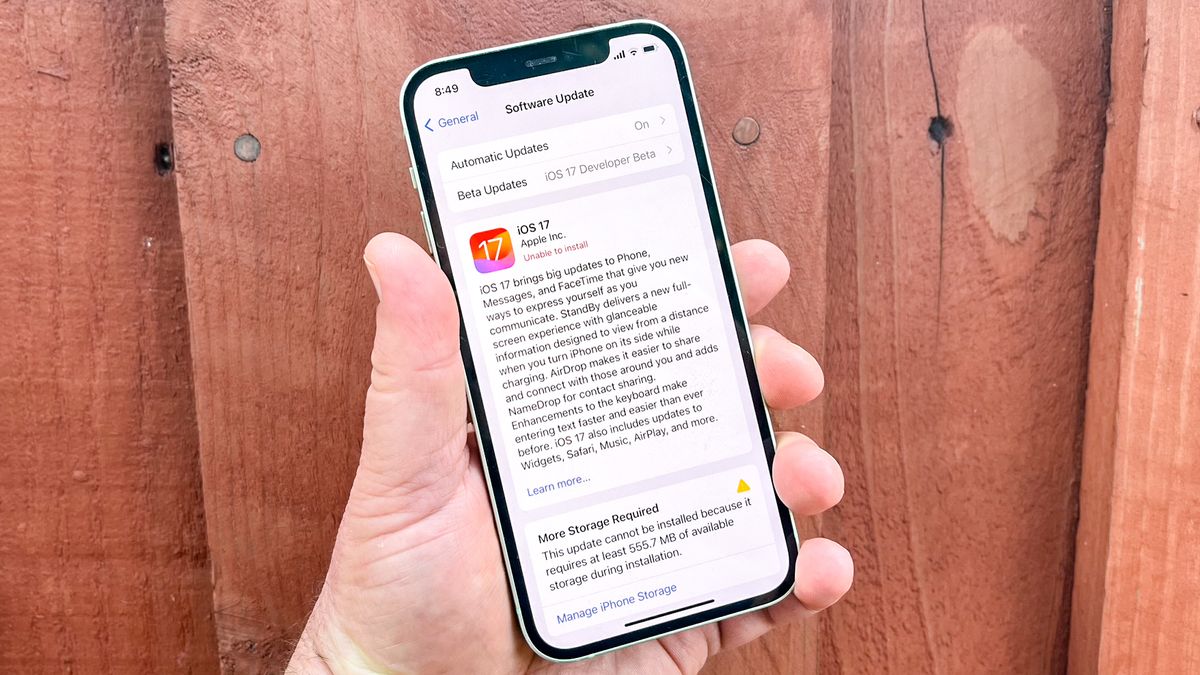
That software update notification you keep postponing could be more important than it looks.
Phone manufacturers regularly release updates to fix security vulnerabilities, correct bugs and improve device performance. Delaying important security updates can leave your phone exposed to weaknesses that attackers may exploit.
Make a habit of checking for updates and installing them from your phone’s official settings. Enable automatic security updates where available, and avoid downloading unofficial operating system files from unfamiliar websites.
If your phone no longer receives security updates, check whether the manufacturer offers another supported option before relying on the device for sensitive activities such as banking.
2. Stop Installing Apps You Don’t Really Need
Every app you install creates another potential point of access to your device’s data.
Some applications request access to your contacts, microphone, camera, location or files even when those permissions are not essential to their main function. Unnecessary apps can also consume storage, drain battery power and send notifications throughout the day.
Review your installed applications regularly. Delete those you no longer use, and check the permissions of the ones you keep.
On Android, you can usually review app permissions under Settings and Privacy or Permission Manager. On an iPhone, check Settings and the Privacy & Security section.
Be especially careful with apps downloaded outside official app stores. An app’s presence in an app store does not automatically guarantee that it is safe, so pay attention to the developer, reviews and requested permissions.
3. Stop Using the Same Password Everywhere
Using one password for your email, social media, shopping accounts and other services may seem convenient. It can also create a serious security problem.
If one service suffers a data breach, criminals may try the exposed password on other websites. This technique, known as credential stuffing, can put multiple accounts at risk.
Use unique passwords for important accounts, particularly your primary email, financial services and social media profiles.
A reputable password manager can help you generate and store strong passwords without requiring you to memorise each one. Where available, activate two-factor authentication or passkeys for an additional layer of protection.
Your email deserves special attention because access to it can allow someone to reset passwords for many of your other accounts.
4. Stop Charging Your Phone Under Unsafe Conditions
Charging habits can affect battery health, but some practices also create avoidable safety risks.
Using damaged charging cables, counterfeit adapters or batteries with visible damage can expose your phone to electrical faults and overheating. Charging a phone under bedding or placing it on a surface that traps heat can also prevent proper heat dissipation.
Use compatible, reputable charging accessories and replace damaged cables. Keep your phone on a hard, well-ventilated surface while charging, and follow the manufacturer’s safety instructions.
Modern phones generally manage charging automatically, so you do not need to repeatedly disconnect a device the moment it reaches 100 per cent. However, excessive heat can accelerate battery ageing.
If your phone becomes unusually hot, swells, emits an unusual smell or shows signs of battery damage, stop using it and seek professional assistance.
5. Stop Connecting to Every Public Wi-Fi Network
Free Wi-Fi at airports, hotels, cafés and shopping centres can be useful, especially when mobile data is expensive or unreliable.
The problem is connecting without checking whether the network is legitimate or secure.
Attackers can create fake hotspots with names resembling those of genuine businesses. Unsecured networks may also expose some of your online activity, depending on the services and protections involved.
Confirm the correct network name with the establishment before connecting. Avoid ignoring browser security warnings, and do not install certificates or configuration profiles simply because a public Wi-Fi login page tells you to.
For sensitive transactions, use your mobile network or a trusted connection when practical. A reputable VPN can add protection on untrusted networks, but it does not make every online activity automatically safe.
READ ALSO
9 AI Features You Use Every Day Without Realising It
6. Stop Allowing Every Website to Send Notifications
Have you ever opened your phone only to find notifications from websites you barely remember visiting?
Some websites request permission to send alerts about breaking news, offers, competitions and promotions. Accepting too many of these requests can turn your notification panel into a stream of distractions.
Notifications can also be used to deliver misleading messages that imitate security warnings, prizes or account alerts.
Review your browser’s site permissions and remove notification access from websites you do not recognise or trust. You can also disable notifications from apps that rarely provide useful information.
Keep alerts enabled for the people and services that genuinely matter to you, rather than allowing every app to compete for your attention.
7. Stop Treating Your Phone Gallery as a Backup System
Photos, videos, documents and screenshots can accumulate on a phone for years. Many people assume their files will remain safe as long as they stay in the gallery.
But a lost, stolen or damaged phone can take those files with it. Accidental deletion, storage failure or a compromised account can also result in data loss.
Back up important photos, contacts and documents to a trusted cloud service or another secure storage device. Check that the backup has actually completed instead of assuming it is working.
Remember that synchronisation and backup are not always the same thing. Depending on the service and settings, deleting a file on one device may also delete it from synchronised locations.
Keep copies of particularly important documents in a separate location and protect cloud accounts with strong authentication.
8. Stop Scrolling Without Thinking About Your Screen Time
A quick check of social media can easily become an hour of scrolling through videos, comments and posts.
Excessive phone use can interrupt sleep, reduce concentration and make it harder to focus on tasks that require sustained attention. Repeated notifications can also encourage people to check their devices even when nothing urgent is happening.
You do not necessarily have to stop using social media. Instead, pay attention to how and when you use it.
Set app limits, turn off non-essential alerts and consider keeping your phone away from your bed at night. If you often lose track of time while scrolling, schedule specific periods for social media rather than opening apps automatically whenever you have a spare moment.
Small adjustments can help you use your phone more deliberately without giving up the convenience it provides.
How to Make Your Phone Safer and More Useful in 2026
You do not need a new smartphone to improve your digital habits. A few changes to your settings and routines can make a meaningful difference.
Start by installing security updates, removing apps you no longer need and checking which applications can access your personal information. Then review your passwords, confirm that important files are backed up and reduce notifications that serve little purpose.
Pay attention to battery condition and charging safety, especially if your device is several years old.
Your phone should make everyday life easier. Keeping it secure, organised and under control helps you get more value from the device without allowing avoidable risks and distractions to build up.
Frequently Asked Questions
What should I stop doing with my phone in 2026?
Avoid postponing important security updates, installing unnecessary apps, reusing passwords, using damaged charging accessories, connecting carelessly to public Wi-Fi, accepting every website notification, neglecting backups and scrolling without limits.
Does charging a phone overnight damage the battery?
Modern smartphones generally manage charging automatically, so overnight charging is not automatically harmful. Heat and prolonged exposure to high charge levels can contribute to battery ageing, however. Follow the manufacturer’s charging recommendations and avoid covering the phone while it charges.
Is public Wi-Fi safe for mobile banking?
A properly secured connection and an official banking app can reduce risk, but no public network should be treated as automatically trustworthy. Verify the network, avoid suspicious login pages and use mobile data or another trusted connection for sensitive transactions when practical.
How often should I update my phone?
Install important security updates when they become available. You can enable automatic updates if your device supports them, while checking that your phone still receives security support from its manufacturer.
Should I delete apps I no longer use?
Yes. Removing unused apps can free storage, reduce unnecessary notifications and limit the number of applications with access to your data. Review permissions for the apps you keep as well.
How can I protect my photos if my phone gets lost?
Enable a reputable cloud backup service or regularly copy important files to secure external storage. Confirm that the backup is complete and protect the account containing your files with a strong, unique password and additional authentication.