
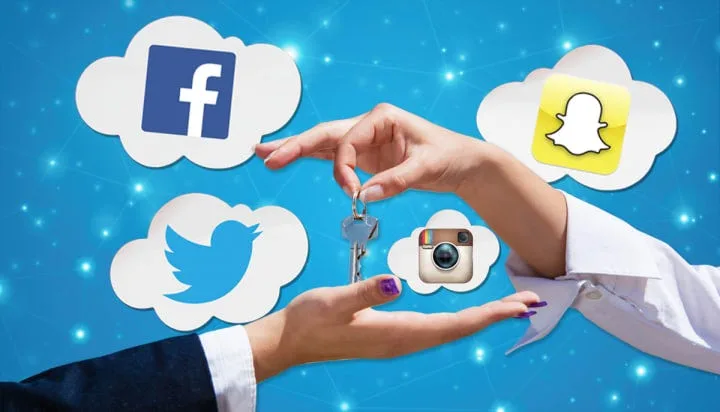
Social media makes it easy to connect with friends, share experiences and keep up with current events. However, the same platforms can expose personal information, daily activities, contacts and location details to people users may not know.
Many accounts reveal more than their owners realise. Public posts, old photographs, tagged locations, profile details and third-party app permissions can make it easier for strangers to gather information about someone.
Improving social media privacy does not necessarily mean deleting accounts or stopping people from sharing online. A few changes to account settings and posting habits can reduce unnecessary exposure and give users greater control over who sees their information.
Here are 10 practical ways to make social media accounts more private.
1. Make Your Social Media Accounts Private
One of the simplest ways to limit exposure is to change your account’s visibility settings.
Platforms such as Instagram and TikTok allow users to make their accounts private. When this setting is enabled, only approved followers can access certain posts and content.
Facebook also provides audience controls that allow users to decide whether their posts are visible to the public, friends or selected individuals.
On X, users can protect their posts so that only approved followers can see them.
A private account may not hide every profile detail, such as your username or profile photograph, but it can significantly reduce who has access to your content.
2. Limit Who Can See Your Personal Information
Your social media profile may contain details such as your phone number, email address, birthday, workplace, school and relationship status.
Some of these details can help strangers identify you or connect your online accounts to other personal information.
Review your profile and remove details that do not need to be publicly available. Where a platform allows it, restrict sensitive information to friends or approved followers.
You should also avoid displaying your full date of birth, residential address or personal contact information on a public profile.
3. Review Your Old Posts and Photos
An account that is private today may still contain years of publicly accessible posts.
Old photographs, comments, videos and updates can reveal personal details that users no longer want to share. Some posts may also contain information about previous workplaces, schools, family members or locations.
Go through your older content and delete, archive or change the audience of anything you no longer want people to see.
Facebook, Instagram and other platforms offer tools that can help users review previous activity and manage their content.
Pay particular attention to posts that were originally shared publicly.
4. Turn Off Unnecessary Location Sharing
Location information can reveal where you live, work, study or regularly spend time.
Some social media platforms allow users to attach locations to posts, while mobile devices and applications may request access to location services.
Review the location permissions granted to your social media apps. If an application does not need your location to perform its main function, consider restricting access.
Avoid publishing real-time updates that reveal your exact whereabouts, particularly when you are away from home or travelling.
You can still share photographs from trips and events without disclosing your precise location while you are there.
5. Enable Two-Factor Authentication
Account privacy also depends on preventing unauthorised access.
A strong password may not be enough if it is exposed through a data breach, phishing attempt or compromised website.
Two-factor authentication (2FA) adds another layer of security by requiring an additional verification step when someone attempts to sign in.
Depending on the platform, this may involve an authentication app, security key or verification code.
Enable the feature on your social media accounts, especially those connected to your email address, business activities or financial services.
An authentication app or security key is generally preferable to relying only on SMS codes where those options are available.
READ ALSO
7 Hidden Features of Google Maps That Can Make Travelling Easier
6. Control Who Can Tag or Mention You
Being tagged in another person’s photograph or post can expose your profile to people outside your immediate circle.
Review your tagging and mention settings to determine who can tag you, mention your username or link your profile to their content.
Some platforms allow users to approve tags before they appear on their profiles. Enabling this option gives you more control over what is associated with your account.
You should also periodically check posts in which you have been tagged and remove unwanted tags where possible.
Remember that removing a tag does not necessarily delete the original post. The person who published it may still need to remove the content.
7. Restrict Who Can Send You Messages
Open direct-message settings can expose users to unsolicited messages, scams, spam and unwanted contact.
Most major social media platforms provide options for controlling who can send message requests.
Depending on the platform, you may be able to limit messages to people you follow, friends or approved contacts.
You can also restrict or block accounts that repeatedly send suspicious links, inappropriate messages or unwanted requests.
Be cautious about responding to messages from unfamiliar accounts, particularly when they request personal information or encourage you to open unfamiliar links.
8. Remove Unnecessary Third-Party App Access
Some applications and websites allow users to sign in using their Facebook, Google or other social media accounts.
Over time, users may grant access to services they no longer use. Depending on the permissions granted, these services may have access to certain account information.
Review the connected applications and websites in your social media security settings.
Remove access for services you no longer recognise, trust or use.
Before connecting a new application to your account, check what information it wants to access and whether those permissions are necessary.
9. Limit How People Can Find Your Account
Social media platforms often provide settings that allow people to discover accounts through phone numbers, email addresses or contact synchronisation.
If these options are enabled, someone who already has your contact details may be able to find your profile more easily.
Review settings that control whether your account can be suggested to others or discovered through uploaded contacts.
You can also disable contact synchronisation if you do not need the platform to use your phone’s address book for recommendations.
The available controls differ across platforms, so check each account separately.
10. Use Strong, Unique Passwords and Review Login Activity
Using the same password across several social media accounts increases the risk of multiple accounts being compromised if one service suffers a breach.
Create a different, strong password for every account. A reputable password manager can help you generate and store passwords securely.
You should also check your account’s login activity or list of active sessions.
If you notice an unfamiliar device, location or login session, sign out of it, change your password and review your security settings.
Never share your passwords or verification codes with people claiming to represent a social media platform.
Why Social Media Privacy Settings Matter
Social media privacy is not a one-time adjustment. Platforms regularly introduce new features, change existing settings and update how personal information is handled.
Users should periodically review their account settings, especially after installing a new application, changing devices or experiencing suspicious login activity.
It is also worth remembering that making an account private does not guarantee complete privacy. Approved followers can still take screenshots, save content or share information outside the platform.
The most effective approach combines privacy settings, strong account security and careful decisions about what to publish online.
Taking a few minutes to review these 10 areas can help users reduce unnecessary exposure and maintain greater control over their digital presence.
Frequently Asked Questions
1. How can I make my social media account private?
Open your account’s privacy settings and look for options such as account visibility, private account or post audience. The exact steps depend on the platform.
2. Can people see my posts if my social media account is private?
Generally, only approved followers or friends can see content restricted by your private-account settings. However, some profile information may remain visible, and approved followers can still share your content.
3. How do I stop strangers from messaging me on social media?
Go to your messaging or privacy settings and restrict who can send you direct messages or message requests. You can also block or restrict unwanted accounts.
4. Should I turn off location sharing on social media?
If an application does not need your location, restricting its access can reduce unnecessary exposure. Avoid sharing real-time location updates that reveal where you live or when you are away.
5. Does two-factor authentication protect social media accounts?
Yes. It adds an extra verification step during sign-in, making it harder for someone to access your account using only your password.
6. How often should I review my social media privacy settings?
Review them every few months and whenever a platform introduces major changes, you install a new application or notice suspicious account activity.