

iOS 27 is here: The biggest changes, new Siri AI and iPhones that get the best features

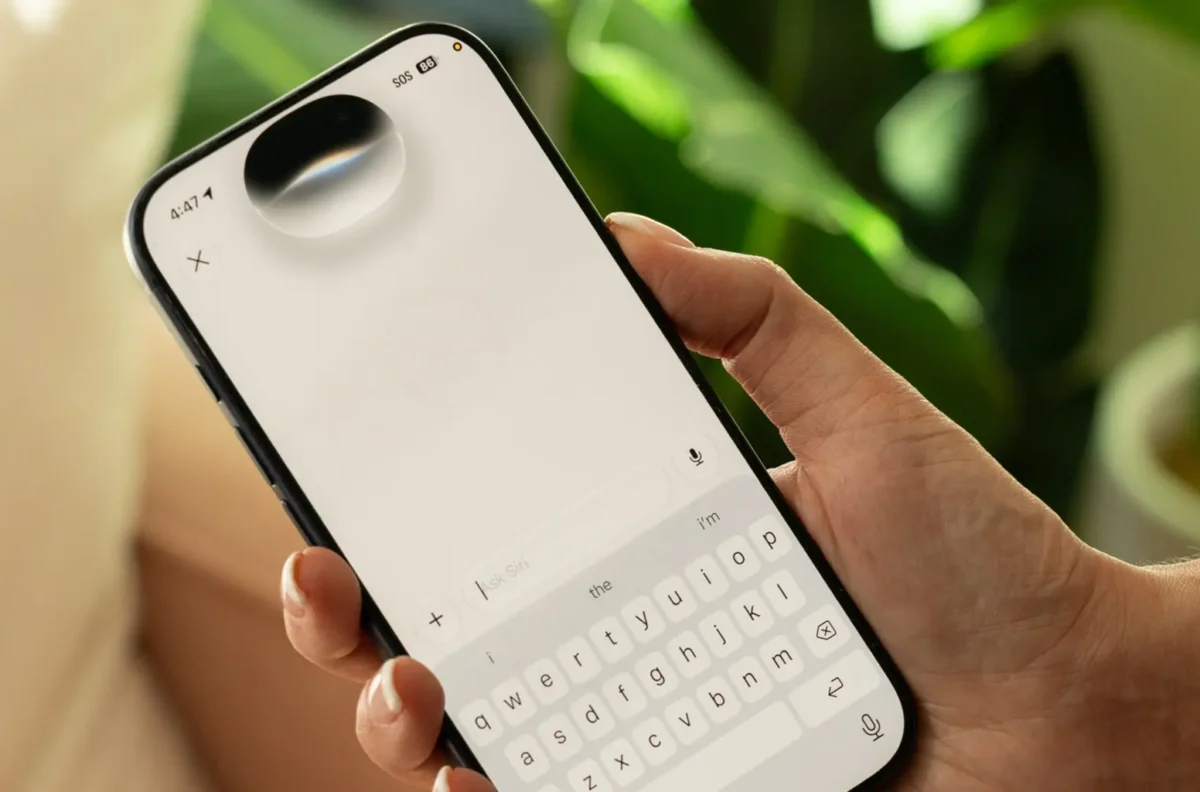
iOS 27 brings Apple’s biggest Siri upgrade yet. Credit: Michael Murtaugh/NYT Wirecutter
Apple has officially released iOS 27, bringing one of the company’s biggest software changes in years to compatible iPhones.
The update arrived on September 14, 2026, and is available as a free software upgrade for iPhone 11 and newer models. But there is an important catch: owning a compatible iPhone does not mean you will get every headline feature.
The biggest additions, particularly Apple’s revamped Siri AI and several Apple Intelligence tools, are restricted to newer iPhones capable of running Apple’s on-device AI technology.
That makes iOS 27 less of a single experience and more of a split upgrade, with older iPhones receiving performance improvements and several new features while newer models get Apple’s full AI push.
iOS 27 Is Now Available to iPhone Users
Apple began rolling out iOS 27 on September 14, following months of beta testing.
Users can check for the update by opening Settings > General > Software Update. Because major Apple updates can take time to reach every device, the software may not appear immediately for every eligible iPhone.
The update is compatible with the iPhone 11 series and newer, including the second-generation iPhone SE and later models supported by iOS 26.
Apple has also released its other major operating-system updates, including iPadOS 27, macOS 27, watchOS 27 and visionOS 27.
Siri AI Is the Headline Feature in iOS 27
The biggest change in iOS 27 is Siri.
Apple has transformed Siri from an assistant primarily used for commands such as setting alarms, checking the weather and sending messages into a more conversational AI system capable of handling more complicated requests.
The new Siri AI can maintain longer conversations, understand personal context and work across Apple’s apps to find information stored on an iPhone.
That means users can ask Siri to locate an old email, find a photograph, retrieve information from a message or perform tasks involving different apps without manually searching through the phone.
There is also a standalone Siri app that allows users to revisit previous conversations and continue interacting with the assistant across Apple devices.
The change represents Apple’s most visible attempt yet to close the gap between Siri and AI assistants such as ChatGPT and Google Gemini.
Siri Can Now Help With Writing
iOS 27 also brings AI deeper into everyday writing.
The new Write with Siri feature can draft text, revise existing writing and provide feedback. In Mail and Messages, Apple says Siri can personalize writing based on the way a user normally communicates with particular people.
That includes details such as familiar phrases, punctuation and tone.
The feature is also available beyond Apple’s own apps, allowing users to get writing assistance in more places across the iPhone.
For people who use their iPhone heavily for work, school or messaging, this could be one of the more practical changes in iOS 27.
Visual Intelligence Gets More Useful
Apple is also expanding Visual Intelligence, allowing the iPhone’s camera to become a tool for understanding objects, documents, food and other things in front of the user.
With iOS 27, Visual Intelligence is integrated into the Camera experience and can help users ask questions about what they are seeing.
One new use case involves restaurant bills. Users can photograph a receipt and have the iPhone calculate how much each person owes, including tax and tip, before using Apple Cash to settle the amounts.
Visual Intelligence can also analyze information such as nutritional labels and help users take action based on what the camera sees.
AI Photo Editing Gets a Major Upgrade
Photos is another major beneficiary of Apple’s AI push.
iOS 27 introduces tools including Spatial Reframing and Extend, allowing users to change the perspective of an image or generate additional space around its edges.
Apple has also improved the Clean Up feature, which removes unwanted objects from photos.
The changes are designed to make common photo corrections possible directly on the iPhone without requiring a separate editing application.
For users who regularly post photos on social media, the ability to repair composition or remove distractions after taking a picture could be one of the most noticeable upgrades.
Liquid Glass Finally Gets More Control
Apple’s Liquid Glass design, introduced with the previous generation of iOS, is getting a major usability adjustment.
iOS 27 gives users greater control over how transparent or tinted the interface appears.
Instead of forcing users to accept the same visual treatment, the new controls allow them to adjust the Liquid Glass effect between a more transparent appearance and a more opaque, tinted look.
The change comes after mixed reactions to the original design and gives users more control over the appearance of menus, buttons and other interface elements.
READ ALSO
iPhone Duo: Apple finally enters the foldable market with a $1,999 iPhone
iOS 27 Makes Shortcuts Easier to Build
Apple is also making its Shortcuts app more accessible.
Previously, creating a useful automation could involve navigating multiple menus and manually connecting different actions.
With iOS 27, users can describe what they want in natural language and have the system generate the shortcut.
A user could describe an automation such as sending a message to someone when leaving work, and the iPhone can build the workflow instead of requiring every step to be configured manually.
It is another example of Apple using AI to remove some of the technical complexity from its existing tools.
Parents Get More Control Over Children’s iPhones
iOS 27 introduces additional parental controls aimed at giving parents more control over how children use their devices.
Parents can determine which built-in apps are available, set more specific Screen Time limits and create schedules for categories such as games, entertainment and social media.
Apple has also added Ask to Browse, which allows children to request permission before visiting certain websites. Parents can receive those requests through Messages and decide whether to approve them.
The redesigned parental-control settings are intended to make those controls easier to manage without requiring parents to dig through multiple menus.
Older iPhones Still Get Useful iOS 27 Features
The iPhone 11 and newer can run iOS 27, but older devices do not receive the complete Apple Intelligence package.
Apple Intelligence features such as Siri AI are designed for newer iPhones with the necessary hardware. Current compatibility information places the major AI features on the iPhone 15 Pro and newer supported models, including newer iPhone generations.
Older iPhones still receive plenty of changes.
Users can save individual frames from videos as photos, filter their photo library to show pictures captured with the Camera app, send additional messages while another message is still being delivered and adjust alarm volume independently from ringtone volume.
Widgets can also be expanded to display more information on the Home Screen.
That means an iPhone 11 user can still get a meaningful upgrade without access to Apple’s headline AI features.
iOS 27 Also Promises Faster Everyday Performance
Apple is pitching iOS 27 as more than an AI update.
The company says apps can launch up to 30% faster, new images in the Photos library can load up to 70% faster and AirDrop transfers can be up to 80% faster.
The update also improves how iPhones move between Wi-Fi and cellular networks.
Those changes could prove just as important as the headline AI features because they affect everyday phone use rather than a small group of AI-powered tasks.
Which iPhones Get iOS 27?
iOS 27 is available for the iPhone 11 series and newer compatible models, including the second-generation iPhone SE and later devices that support iOS 26.
However, the availability of individual features depends on the iPhone model.
The biggest Apple Intelligence features require newer hardware, meaning users with an older compatible iPhone should not expect every feature demonstrated by Apple.
This distinction could be one of the most important things to check before updating: iOS 27 compatibility and full feature compatibility are not the same thing.
How to Download iOS 27
To install iOS 27, open the iPhone’s Settings app, select General, then choose Software Update.
Before installing a major operating-system update, users should back up their iPhone to iCloud or another secure location.
Apple’s rollout is free, although the update may not appear immediately on every compatible device because millions of users are accessing Apple’s servers around the launch.
For users with compatible iPhones, iOS 27 marks Apple’s clearest move yet toward making AI a normal part of the iPhone rather than a separate chatbot users have to open manually.
The biggest question now is whether Siri AI can consistently deliver on that promise. The technology is more capable than the Siri many iPhone owners have grown accustomed to, but Apple’s AI strategy will ultimately be judged by how reliably it handles real-world requests.
For iPhone 15 Pro users and newer devices, iOS 27 is much more than another annual software refresh. For older iPhones, it is a broader performance and usability update without Apple’s full AI experience.
Frequently Asked Questions About iOS 27
Is iOS 27 available now?
Yes. Apple released iOS 27 on September 14, 2026. It is available as a free update for compatible iPhones.
Which iPhones can get iOS 27?
iOS 27 is compatible with the iPhone 11 series and newer models, including the iPhone SE (2nd generation) and later supported devices.
Does iOS 27 have the new Siri AI?
Yes. iOS 27 introduces Siri AI, a more conversational and capable version of Siri with access to personal context, app actions and broader information.
Which iPhones get Siri AI in iOS 27?
The major Apple Intelligence features require compatible newer hardware. Siri AI and other advanced AI features are available on the iPhone 15 Pro and newer supported models.
What is the biggest new feature in iOS 27?
The biggest headline feature is Siri AI. Apple has redesigned Siri to handle more complex conversations, understand personal context and interact more deeply with apps and information stored on the iPhone.
Is Siri AI free on iOS 27?
Apple is currently making Siri AI and the new Apple Intelligence features available without a separate fee.
Does iOS 27 improve the iPhone camera?
Yes. iOS 27 adds and improves AI-powered camera and photo features, including Visual Intelligence, Spatial Reframing, Extend and an upgraded Clean Up tool.
Does iOS 27 change Liquid Glass?
Yes. Users can adjust the appearance of Liquid Glass, giving them more control over how transparent or tinted the interface looks.
Is iOS 27 available on iPhone 11?
Yes. The iPhone 11 and newer iPhones can install iOS 27, although some advanced AI features are restricted to newer models.
How do I install iOS 27?
Go to Settings > General > Software Update and select the iOS 27 update when it appears. It is recommended to back up your iPhone before installing a major software update.